Mobilecare - Router Remote Setup and Device Configuration

Mobilecare - Router Remote Setup and Device Configuration

4.4
Rated 4.4 out of 5 stars
11 Reviews
Regular price $99.00 Sale price$79.00 Save 20%
/
Shipping calculated at checkout.

Part Number: mobilecare-config

Availability: 

Shipping:  Free Shipping on orders over $199

Description:  Instructor Led Training & Setup of Your New Mobile Internet Solution by MMH


Device Serial Number

Serial Number

Low stock - -219 items left

Mobilecare - Router Remote Setup and Device Configuration

Need Help?

Reach out to our Nomadic Specialists

  • Free shipping +$199
  • Members save 10%
  • Guaranteed Low Price
  • Satisfaction Guarantee

JOIN NOW & SAVE!

Get Free 2-Day Shipping and 10% off Products and Exclusive Discounts on Cellular Data Plans

Already a Member? Discounts show in Cart
  • Description
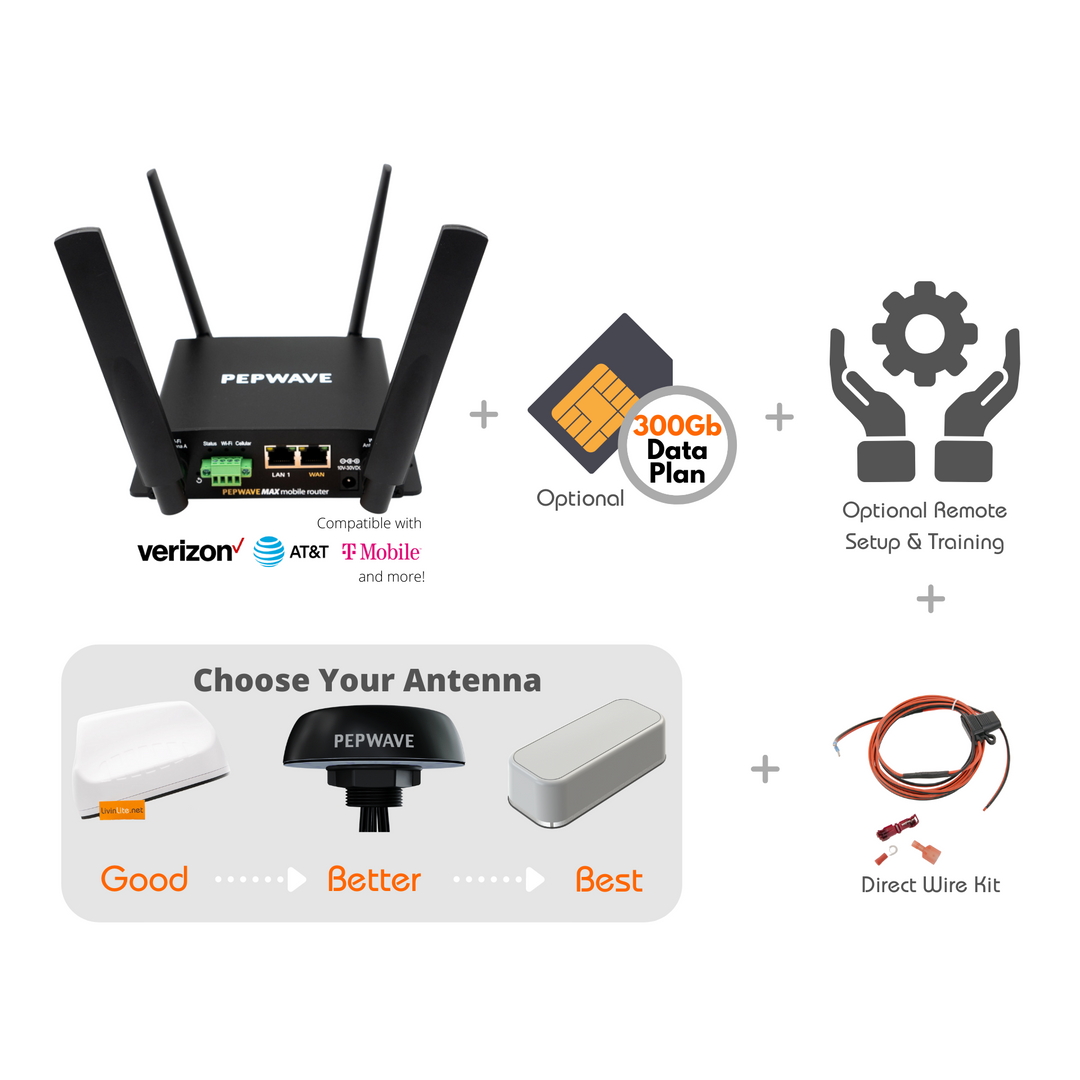
Looking for assistance getting your new MMH mobile internet solution setup? If so then MobileCare Setup and Instructor-Led Training is for you. 
 
With your purchase of MobileCare - Instructor-Led Training You will Receive the Following: 
  • Remote Configuration & Customization of Your New Mobile Router Within 48 Hours of Arrival*
  • Remote setup of Initial Wireless SSID for 2G and 5G networks
  • Remote setup of Isolated Guest Network with Separate Password for Temporary Users
  • SIM card troubleshooting and cellular activation support
  • Pre-recorded training video teaching you the basics of managing the device that you can watch at your pace and re-watch as necessary. 
  • Instructor-Led Live Questions/Answers session via Live Zoom Training (group sessions are scheduled twice a week).
  • Have additional questions? Attend an additional session with your lifetime pass to attend future sessions.
* In order for our team to remotely configure your device, your device must be under an active warranty or primecare subscription. You must also have a compatible mobile internet data plan from Verizon, AT&T, T-Mobile, Sprint, or another compatible data carrier. 


Member Exclusive

Best in Class Guides

We partnered with the Mobile Internet Resource Center (“MIRC”) to create industry-leading How-To Guides and Walk-Throughs. Members get 40+ hours of exclusive video content along with a support forum, not to mention huge discounts storewide!

Peplink Resource Center
couple in their rv looking at a laptop

Consultations

Talk with an Expert

Our team of mobile experts are available to help you pick the right solution. Click below to schedule a phone consultation.

Schedule a Consultation

Membership

Join & Save 10%

Membership Options
Couple using digital tablet near campfire stock photo

Price Match Guarantee

Never pay more at MobileMustHave; we will match any advertised, authorized, in-stock, price or give you a $50.00 store credit. Terms and Conditions apply.

Education

Want to know even more?

Learn more

Why Choose Us

Pick the Mobile Internet Experts

The MobileMustHave Team has 50+ years of combined expertise in networking and Information Technology. We are RVers too, and we put each product we sell through rigorous testing in our own RV.

Learn More

In Case you missed it!

Mobile Internet Bundles

Take me to them
4.4
Rated 4.4 out of 5 stars
Based on 11 reviews
Total 5 star reviews: 9 Total 4 star reviews: 0 Total 3 star reviews: 0 Total 2 star reviews: 1 Total 1 star reviews: 1
82%would recommend this product
Slide 1 selected
11 reviews
  • Stephen K B.
    Verified Buyer
    Reviewing
    Mobilecare - Router Remote Setup and Device Configuration
    I recommend this product
    Rated 5 out of 5 stars
    2 years ago
    MMH Balance 20X setup

    Add an option to not restrict local changes by owner thru retaining Incontrol. Tested with setting timezone to CTS which then changed back to EST from Incontrol. Resolved by support to enable moving back to my userid on Incontrol. Change to CST then stayed.

  • Peter B.
    Verified Buyer
    Reviewing
    Mobilecare - Router Remote Setup and Device Configuration
    I do not recommend this product
    Rated 1 out of 5 stars
    1 year ago
    Never happened. Need separation of InControl from router. Don't know how. Router still unreliable.

    I tried to set up this router to get it online for the tech support to configure. They couldn't help me to get InControl separated from the router. As oif now I cannot log in to it as admin. Still need help, a lot of help BTW InControl from the iPhone is decided broken. It forces you to do too many things through it. Its really depressing here right now.

    M Profile picture for MobileMustHave.com
    MobileMustHave.com
    1 year ago

    Thanks for taking the time to provide us with some feedback on your experience with our Mobilecare service. Our support team has reached out to you via email to assist you with your problem, but they cannot remove you from InControl because you're not in our InControl group. Only the registered party can remove themselves from InControl, so you'll need to do that in order for us to complete your router setup. Please contact Peplink if you need assistance removing yourself from InControl. Once that is completed, notify our Support team (on your support ticket) so that they can complete your router setup.

  • Chris A.
    Verified Buyer
    Reviewing
    Mobilecare - Router Remote Setup and Device Configuration
    I recommend this product
    Rated 5 out of 5 stars
    1 year ago
    Above and beyond.

    Not only did MMH configure my router they worked with me to improve speed. I only wish I knew before I bought the Mini MAX BR1 router that using it with the Starlink Gen 3 greatly reduces the speed of Starlink.